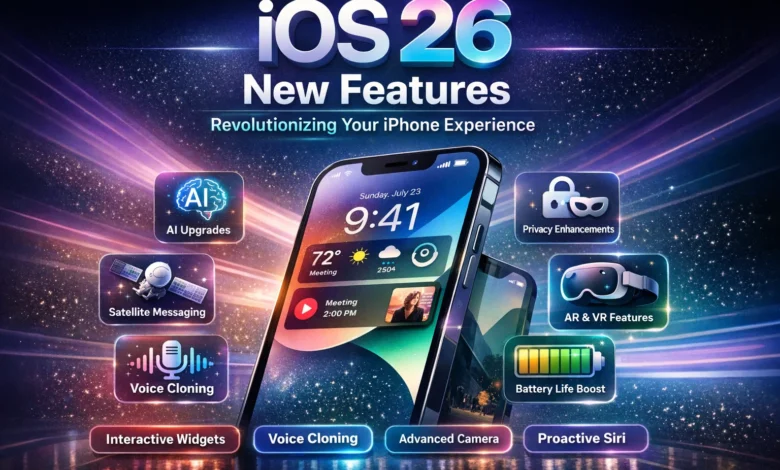
Apple has once again pushed the boundaries of mobile innovation with the release of iOS 26, bringing a host of exciting updates that make your iPhone smarter, more intuitive, and visually stunning. If you’re wondering what the iOS 26 new features have in store, you’re in for a treat. This update isn’t just about minor tweaks—it’s a comprehensive overhaul designed to enhance every aspect of daily use, from productivity to entertainment. Whether you’re a long-time Apple enthusiast or new to the ecosystem, these changes promise to make your device feel fresh and future-proof.
At the heart of iOS 26 is a focus on seamless integration with Apple’s growing AI capabilities, known as Apple Intelligence. This means your iPhone can now anticipate your needs more accurately, offering personalized suggestions that save time and effort. But it’s not all about smarts; the visual redesign alone is worth the upgrade, giving your screen a modern, fluid look that stands out from previous versions. As we dive deeper into the iOS 26 new features, you’ll see how these elements come together to create an ecosystem that’s both powerful and user-friendly.
The Stunning Liquid Glass Design Overhaul
One of the most talked-about iOS 26 new features is the introduction of the Liquid Glass design language, which reimagines the entire user interface with a sleek, fluid aesthetic. Gone are the flat, static icons of yesteryear; now, everything feels alive and dynamic, with rounded, bubble-like elements that respond to your touch in subtle, engaging ways. This design isn’t just cosmetic—it’s built to improve usability, making navigation smoother and more intuitive. For instance, app icons now have a glassy sheen that shifts with light and movement, adding a layer of depth that makes your home screen pop.
Beyond the visuals, Liquid Glass enhances accessibility by allowing for greater customization. Users can adjust the transparency and fluidity levels to suit their preferences, which is especially helpful for those with visual impairments. This feature ties into the broader theme of personalization in iOS 26, where Apple empowers you to tailor your device exactly how you want it. Early adopters have praised how this design makes multitasking feel effortless, as windows and notifications blend seamlessly into the background without overwhelming the screen.
Imagine scrolling through your apps and watching them morph slightly as you interact—this is the magic of Liquid Glass. It’s a nod to Apple’s history of bold design shifts, reminiscent of the skeuomorphic era but with a modern twist. As part of the iOS 26 update, this overhaul extends to system apps like Settings and Control Center, ensuring consistency across the board.
Advanced Apple Intelligence Integration
Apple Intelligence takes center stage among the iOS 26 new features, bringing AI-driven enhancements that make your iPhone feel like a personal assistant on steroids. With improved machine learning, the system now offers real-time suggestions based on your habits, such as recommending shortcuts for frequent tasks or predicting text in messages with uncanny accuracy. This isn’t intrusive; it’s helpful, learning from your usage without compromising privacy, thanks to on-device processing.
One standout aspect is the upgraded Visual Intelligence, which lets you point your camera at objects and get instant information—think identifying plants, translating signs, or even suggesting recipes from ingredients in your fridge. This feature builds on previous iterations but feels more refined in iOS 26, with faster response times and better accuracy in low-light conditions. It’s perfect for travelers or curious minds who want to explore the world through their phone.
Moreover, Apple Intelligence now integrates deeper with third-party apps, allowing for custom intents that automate complex workflows. For example, you could set up a routine where your phone dims the lights, plays music, and sets an alarm all from a single voice command. This level of intelligence makes iOS 26 a game-changer for productivity enthusiasts.
Redesigned Camera App for Pro-Level Photography
The camera app has received a complete reboot in iOS 26, making it one of the most exciting new features for photography lovers. The interface is now more streamlined, with intuitive controls that let you switch modes effortlessly—whether you’re shooting portraits, night scenes, or videos. Computational photography has been amped up, using AI to enhance details in real-time, resulting in sharper images with vibrant colors that rival professional cameras.
A key addition is the new spatial photo mode, which captures depth information for immersive viewing on compatible devices like Vision Pro. This isn’t just gimmicky; it adds a new dimension to your memories, allowing you to relive moments in 3D. Plus, the app now includes advanced editing tools powered by Apple Intelligence, suggesting tweaks like color corrections or object removal without needing third-party software.
For video enthusiasts, iOS 26 introduces improved stabilization and low-light performance, making it easier to capture smooth footage on the go. The integration with Apple Music even lets you add soundtracks directly in the editor, turning casual clips into polished productions.
Innovative Apple Music Features
Music lovers will rejoice at the iOS 26 new features tailored for Apple Music, starting with the AI-powered Playlist Playground. This tool lets you generate custom playlists using simple text prompts, like “chill vibes for a rainy day” or “upbeat tracks for workouts.” It pulls from your library and the vast Apple Music catalog, curating 25 songs that perfectly match your mood, saving you the hassle of manual selection.
Another gem is the Concerts Near You section, which alerts you to upcoming shows based on your listening history. It integrates with Maps for directions and even suggests outfits or playlists to get you pumped. Lyric translation is now seamless, supporting more languages and appearing in real-time during playback, making global music more accessible.
These updates make Apple Music feel more personal and engaging, turning passive listening into an interactive experience. Whether you’re discovering new artists or revisiting favorites, iOS 26 elevates the app to new heights.
Bolstered Privacy and Security Measures
Privacy remains a cornerstone of Apple’s philosophy, and the iOS 26 new features double down on this with enhanced controls that give you more power over your data. The new Privacy Dashboard now provides detailed insights into app permissions, showing exactly what data is being accessed and why. You can revoke access with a single tap, and AI-driven alerts notify you of potential risks, like unusual location tracking.
End-to-end encryption has been expanded to more apps, including Maps and Health, ensuring your commute data and fitness metrics stay secure. This is particularly useful for users concerned about data breaches, as it minimizes exposure even in cloud syncing.
Additionally, iOS 26 introduces secure enclave improvements for Face ID and Touch ID, making biometric authentication faster and more reliable. These features collectively make your iPhone a fortress, balancing convenience with top-tier security.
Performance Boosts and Optimization
Under the hood, iOS 26 delivers impressive performance upgrades, making older devices feel snappier. The A-series chips are optimized further with better thermal management, reducing throttling during intensive tasks like gaming or video editing. Battery efficiency has improved too, with adaptive charging that learns your routine to preserve longevity.
Multitasking is smoother thanks to enhanced RAM management, allowing more apps to run in the background without draining resources. This means quicker app switching and less lag, even on mid-range iPhones.
For developers, iOS 26 offers new APIs that leverage these optimizations, paving the way for more innovative apps. Users will notice the difference in everyday use, from faster load times to seamless animations.
Expanded Accessibility Options
Accessibility gets a major lift in iOS 26, with features designed to make the iPhone usable for everyone. VoiceOver has been refined with AI to describe images more accurately, helping visually impaired users navigate content. Custom voice commands allow for hands-free operation tailored to individual needs.
Live Captioning now supports more languages and dialects, transcribing calls and videos in real-time. This is a boon for the hearing impaired, ensuring no conversation is missed.
These enhancements reflect Apple’s commitment to inclusivity, making iOS 26 a more equitable platform.
Smarter Battery Management
Battery life is a perennial concern, and iOS 26 addresses it with intelligent management tools. The system now predicts usage patterns and allocates power accordingly, extending runtime by up to 20% in some cases. Low Power Mode is more granular, letting you choose which features to throttle.
Wireless charging has been optimized for faster speeds, and diagnostics provide tips on maintaining battery health. This proactive approach helps your iPhone last longer throughout the day.
Customizable Widgets and Home Screen
Widgets in iOS 26 are more interactive, allowing direct actions like playing music or checking weather without opening apps. The home screen supports stacked widgets that rotate based on time or location, keeping things fresh.
Themes can now be applied system-wide, matching your wallpaper for a cohesive look. This level of customization makes your iPhone truly yours.
Seamless Ecosystem Integration
iOS 26 strengthens ties with other Apple devices, enabling features like universal clipboard enhancements and Continuity Camera upgrades. Handing off tasks between iPhone and Mac is effortless, with AI suggesting the best device for the job.
Shared experiences, like collaborative playlists or group FaceTime, are more fluid. This integration makes the Apple ecosystem irresistible.
Health and Fitness Tracking Upgrades
The Health app in iOS 26 features a redesign with personalized insights powered by AI. It tracks trends in your data, offering advice on sleep, exercise, and nutrition. New metrics include hydration reminders and stress monitoring via heart rate variability.
Integration with Apple Watch is tighter, syncing data in real-time for comprehensive overviews. This makes wellness more actionable.
Gaming Enhancements with MetalFX
Gamers will love the iOS 26 new features in graphics, with MetalFX upscaling for console-quality visuals on mobile. Ray tracing support brings realistic lighting to games, and haptic feedback is more immersive.
Cloud gaming integration allows seamless play across devices, with low latency.
Communication Tools Evolution
Messages app gets threaded replies and AI-suggested responses, making chats more efficient. FaceTime adds spatial audio for group calls, enhancing immersion.
RCS support is refined for better cross-platform messaging.
Environmental Features for Sustainability
iOS 26 includes tools to track your carbon footprint, suggesting eco-friendly alternatives like walking routes. Device recycling reminders promote sustainability.
These features align with Apple’s green initiatives.
Developer Tools and App Store Changes
New Swift features empower developers, leading to innovative apps. App Store discovery is improved with AI recommendations.
This fosters a vibrant app ecosystem.
To illustrate the evolution, here’s a comparison table of key features:
| Feature Category | iOS 25 | iOS 26 |
|---|---|---|
| Design | Flat icons | Liquid Glass with dynamic elements |
| AI Integration | Basic Siri | Advanced Apple Intelligence with Visual Search |
| Camera | Standard modes | Spatial photos and AI editing |
| Music | Manual playlists | AI Playlist Playground |
| Privacy | Basic dashboard | Enhanced alerts and encryption |
| Performance | Standard optimization | Adaptive charging and RAM management |
As Tim Cook once said, “Innovation distinguishes between a leader and a follower,” and iOS 26 embodies this ethos.
Augmented Reality Advancements
AR in iOS 26 is more robust, with LiDAR enhancements for precise mapping. Apps like Measure are faster, and new frameworks allow for immersive experiences.
This opens doors for education and entertainment.
Notification Management Refinements
Notifications are smarter, grouped by relevance with AI prioritization. Focus modes are customizable with app-specific rules.
This reduces distractions effectively.
File Management Improvements
Files app supports better organization with tags and AI search. Cloud integration is seamless, with offline access optimized.
Productivity soars with these tools.
Emoji and Keyboard Updates
New emojis reflect diversity, and the keyboard predicts contextually. Swipe typing is more accurate.
Fun and functional.
Siri 2.0: The Intelligent Assistant
Siri in iOS 26.4 is transformative, understanding context and performing complex tasks. It integrates with apps deeply.
This is a highlight among iOS 26 new features.
Lock Screen Personalization
Lock screen widgets are interactive, showing live data. Depth effects with wallpapers add flair.
Customization at its best.
Weather App Overhaul
Weather forecasts are hyper-local with AI predictions. Alerts are proactive.
Stay prepared.
Notes App Enhancements
Notes support audio transcription and smart folders. Collaboration is real-time.
Ideal for work and study.
Podcasts and Books Integration
Podcasts get AI summaries, Books recommend based on reading habits.
Entertainment personalized.
Security Patch Automation
Updates install seamlessly, keeping your device secure.
Peace of mind.
Conclusion
In wrapping up our exploration of the iOS 26 new features, it’s clear that Apple has delivered an update that’s both evolutionary and revolutionary. From the eye-catching Liquid Glass design to the powerful Apple Intelligence integrations, iOS 26 sets a new standard for what a mobile OS can achieve. These enhancements not only make your iPhone more capable but also more enjoyable to use daily. As technology continues to advance, iOS 26 positions Apple at the forefront, ready for whatever comes next. If you haven’t updated yet, now’s the time to experience these game-changing iOS 26 new features for yourself.
FAQ
What are the top iOS 26 new features for privacy?
The iOS 26 new features include an advanced Privacy Dashboard that offers real-time insights into app data access, allowing users to manage permissions effortlessly. Additionally, expanded end-to-end encryption covers more apps like Health and Maps, ensuring sensitive information remains protected during syncing and sharing. These tools empower users to stay in control without sacrificing convenience.
How do the iOS 26 new features improve battery life?
iOS 26 introduces adaptive charging that learns your daily routine to optimize power usage, potentially extending battery life by up to 20%. It also features granular Low Power Mode options, letting you select specific features to conserve energy, alongside better thermal management for sustained performance during heavy tasks.
What makes the camera app one of the standout iOS 26 new features?
The redesigned camera app in iOS 26 offers a streamlined interface with AI-enhanced computational photography for superior image quality. Spatial photo mode captures depth for 3D viewing, and built-in editing tools suggest intelligent adjustments, making professional-level results accessible to everyone.
Are there any iOS 26 new features for music enthusiasts?
Yes, Apple Music’s Playlist Playground is a highlight among iOS 26 new features, using AI to create custom playlists from text prompts. Concerts Near You notifies you of local shows based on your tastes, and real-time lyric translation supports global discovery, enhancing the overall listening experience.
How does Apple Intelligence fit into the iOS 26 new features?
Apple Intelligence powers many iOS 26 new features, like Visual Intelligence for instant object recognition via camera and predictive text in messages. It enables deeper app integrations for automated workflows, all processed on-device for privacy, making your iPhone smarter and more proactive.