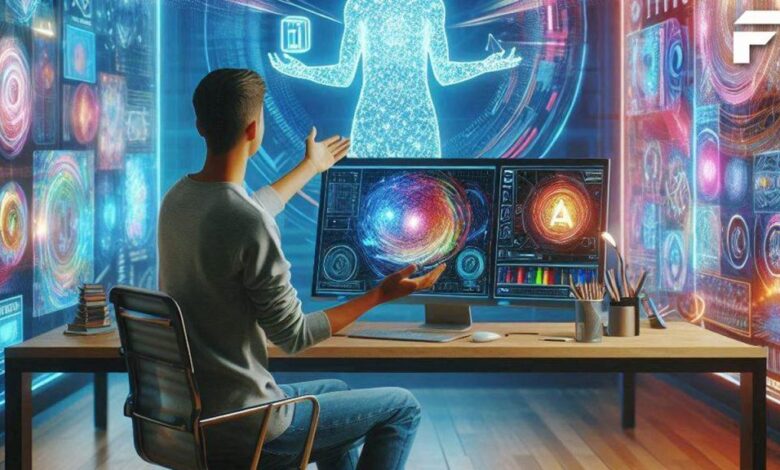
Over the past few years, artificial intelligence has moved from niche research labs into everyday creative workflows. One of the most accessible and intriguing applications of this technology is the free AI art generator — tools that allow anyone to create original visual art using simple text prompts, image inputs, or stylistic directions. These generators open the door to digital creativity without requiring traditional art skills or advanced editing software.
This guide explains what free AI art generators are, how they work, why they matter, and how you can get started using them. We’ll also highlight five of the best free AI art generator tools, beginning with Invideo, and outline practical use cases that range from personal projects to business applications.
What Is a Free AI Art Generator?
A free AI art generator is a software application that uses artificial intelligence to create visual art based on user input. These tools typically accept:
- Text prompts: Descriptive sentences like “a futuristic city at sunset in watercolor style”
- Source images: Photos or sketches that the AI transforms or restyles
- Stylistic parameters: Choices such as artistic genre, color tone, or mood
Unlike traditional graphic design tools, these generators do not require drawing skills or manual composition. Instead, they leverage machine learning models trained on massive datasets of images to interpret input and produce new visuals that match the user’s intent.
How Do Free AI Art Generators Work?
To understand how these tools create art, it helps to look at their underlying technology. Free AI art generators are typically built on neural networks — especially generative models like diffusion models or GANs (Generative Adversarial Networks).
Here’s a simplified explanation of the process:
1. Training on Large Datasets
AI art generators are trained on millions of images and their associated metadata. During training, the model learns patterns, styles, composition rules, and associations between text and visual features.
2. Text and Image Encoding
When you input a text prompt, the model converts (or “encodes”) that text into a numerical representation that captures meaning. For image inputs, the AI encodes visual features — such as shapes, colors, and textures — into internal data representations.
3. Generation Phase
Using these encoded representations, the AI generates visual pixels that align with the input. Diffusion models, for example, start with random noise and progressively refine it into a coherent image that matches the prompt.
4. Output and Refinement
The result is output as a new image. Some tools allow iterative refinement: you can tweak the prompt or parameters to generate variations until you’re satisfied with the result.
This process takes place in seconds or minutes, depending on the complexity of the prompt and the computational resources of the platform.
Why Use a Free AI Art Generator?
The usefulness of free AI art generators extends across multiple creative and professional domains:
Creative Expression
Writers, illustrators, and hobbyists can visualize concepts that would otherwise require drawing or painting skills.
Content Creation
Social media creators and bloggers often use AI art to produce unique visuals for posts, cover images, or headers.
Marketing and Branding
Businesses with limited design resources can generate original artwork for campaigns, banners, and ads.
Storytelling and Concept Development
Writers and game designers can use generated visuals to help visualize characters, environments, or moods.
Learning and Experimentation
Students and beginners can explore art styles and visual concepts without needing expensive software or training.
5 Best Free AI Art Generator Tools
Below are five tools that provide accessible, capable AI art generation. Each is useful for different kinds of creators, and all offer free usage options to help you get started.
1. Invideo – AI Art Generator for Creative Visuals
Overview:
Invideo provides a free ai art generator that converts text prompts into original artwork. Users can describe the visual they want to create, and the system interprets the prompt to produce an image that matches their description. The tool works through a straightforward interface that makes art generation simple and accessible without technical expertise.
Key Features:
- Prompt-driven artwork creation: Enter descriptive text and receive an AI-generated image.
- Style control: Users can influence the artistic style, mood, or theme through the prompt.
- Export options: Enable high-quality downloads for web, social, and presentation use.
- Fast rendering: Generates visuals quickly based on your input.
Practical Use Cases:
- Blog feature images that visually align with written topics
- Custom artwork for social media posts
- Concept art for creative brainstorming
- Unique images for digital presentations
Invideo’s image generation tool is particularly useful for creators who need visual assets for multimedia projects. For example, you might generate unique artwork and then incorporate it into video content or slides — especially if you are using a video ai app for dynamic storytelling or social campaigns.
2. ArtMaker AI – General Purpose Image Transformer
Overview:
ArtMaker AI focuses on converting text descriptions into corresponding visuals. It allows users to generate art across a range of styles by providing detailed prompts.
Key Features:
- Text-to-art generation
- Style modifiers for experimental visuals
- Preview and regenerate options
- Color and mood adjustment parameters
Practical Use Cases:
- Visual brainstorming for creatives
- Concept imagery for blogs and articles
- Unique artwork for personal portfolios
- Thematic images for event graphics
ArtMaker AI is suited to users who want flexible style experimentation and quick visual results.
3. VisionForge – Image Generation With Style Modifiers
Overview:
VisionForge allows creators to generate visuals using both text prompts and optional starting images. It focuses on offering style modifiers that enable controlled artistic outputs.
Key Features:
- Text + image prompt support
- Adjustable style intensity
- Multiple output variations per prompt
- High-resolution generation
Practical Use Cases:
- Social campaign artwork
- Website visuals with thematic consistency
- Concept art for creative projects
- Personalized illustrations
VisionForge’s strength lies in its balance between creative control and simplicity.
4. DreamScene AI – Visual Scene Generator
Overview:
DreamScene AI specializes in generating scenic visuals and thematic environments based on descriptive prompts. Its focus is on atmosphere, setting, and visual storytelling.
Key Features:
- Scene generation from text
- Environmental and background emphasis
- Artistic rendering options
- Quick preview cycles
Practical Use Cases:
- Background visuals for presentations
- Thematic graphics for blogs
- Visual stimuli for narrative development
- Scene references for creative exploration
DreamScene AI is best suited for users who want evocative environments and thematic backdrops.
5. PixelMorph AI – Style Exploration and Variation Tool
Overview:
PixelMorph AI allows users to upload images and generate multiple stylistic variations. This makes it useful for exploring creative directions based on an existing image.
Key Features:
- Image-to-image transformations
- Style variation presets
- Color and texture adjustment
- Batch variation generation
Practical Use Cases:
- Reimagining existing artwork
- Visual variation testing for campaigns
- Concept development for design projects
- Alternative visuals for A/B testing
PixelMorph AI helps users refine and experiment with existing visuals rather than starting entirely from text.
Tips for Using Free AI Art Generators Effectively
To get the most out of these tools, consider the following tips:
Write Clear, Detailed Prompts
The quality of the output often depends on how descriptive and intentional your prompt is. Include elements such as subject, style, color, mood, and composition direction.
Iterate and Refine
Rarely will the first output be perfect. Use iterative prompts to refine visuals and approach your desired result over multiple cycles.
Combine Tools
You can generate images in one tool and refine or incorporate them into another workflow (such as video or design tools) for enhanced results.
Respect Licensing Terms
While these tools offer free usage, always check whether commercial rights or attribution requirements apply if you plan to use generated art for business.
Use Visual Assets Wisely
Generated art can be a starting point — consider cropping, layering, or blending images for enhanced visual compositions.
What’s the Future of Free AI Art Generation?
As AI models continue to evolve, image generation tools are likely to gain:
- Better understanding of prompt nuance
- Higher fidelity outputs (especially at larger resolutions)
- Enhanced multi-modal capabilities (combining text, audio, and visual inputs)
- Deeper integrations with video and animation workflows
Technologies like these will continue to reshape how digital content is created, making both art and storytelling more accessible to broader audiences. For example, users might combine artwork from a free AI art generator into animations or video edits using AI-based tools like Invideo or other creative production platforms.
Conclusion
Free AI art generators are powerful tools that open up visual creativity to everyone, from hobbyists to professionals. By understanding how these tools interpret prompts, generate images, and integrate into wider content workflows, you can begin producing original artwork without traditional technical barriers. Whether your goal is social media content, visual storytelling, marketing assets, or personal creative expression, free AI art generators help turn ideas into visuals rapidly and with minimal technical expertise.
The five tools listed above provide a range of styles and capabilities, from pure artistic expression to image transformation and variation. By experimenting with prompts, styles, and workflows, you can discover new creative possibilities and integrate AI-generated art into your content strategy.